TechnoSports Media Group
  • Home
  • Technology
  • Smartphones
  • Deal
  • Sports
  • Reviews
  • Gaming
  • Entertainment
No Result
View All Result
  • Home
  • Technology
  • Smartphones
  • Deal
  • Sports
  • Reviews
  • Gaming
  • Entertainment
No Result
View All Result
TechnoSports Media Group
No Result
View All Result
Home Google

Google’s Upgraded Android Desktop Mode: Anticipating Improvements for Android 15

Hardik Dhamija by Hardik Dhamija
April 7, 2024
in Google, Technology
0
OLYMPUS DIGITAL CAMERA

OLYMPUS DIGITAL CAMERA

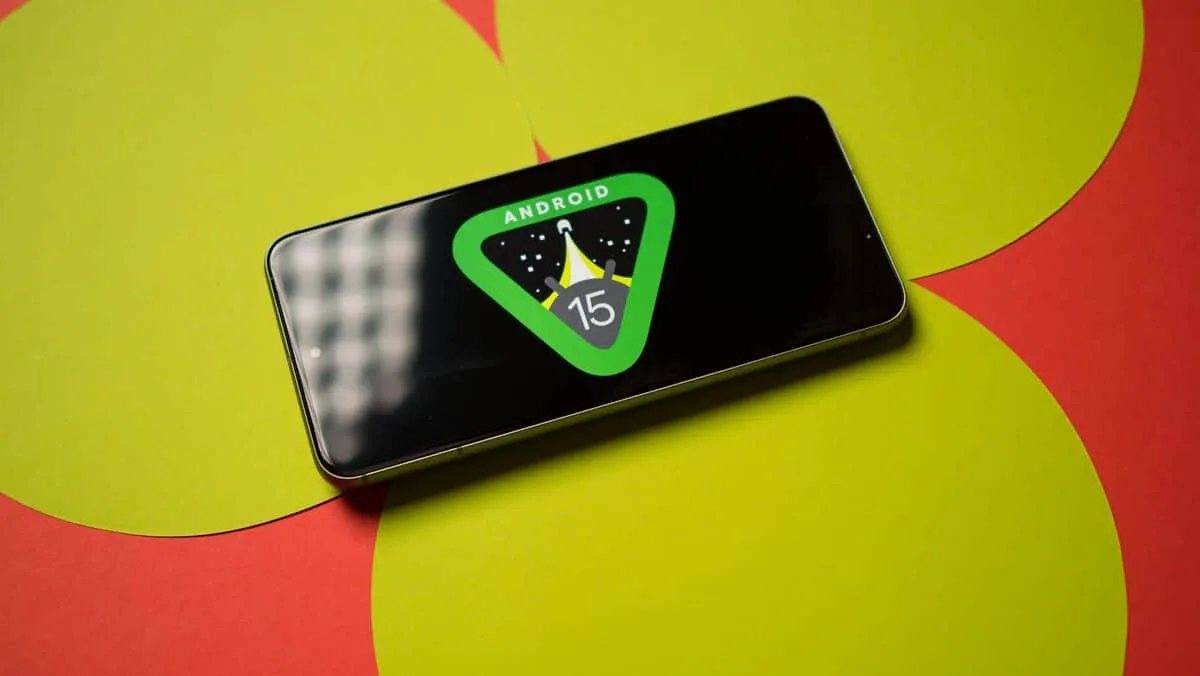
When many people come across the term “desktop mode” on Android they often think of Samsung’s DeX or Motorola’s ready for platforms, which are known for being some of the custom implementations. However, what many may not realize is that Google’s AOSP also has its Desktop mode.

Initially introduced in Android 10, it was quite basic. Mainly aimed at helping developers test apps in display setups.
RelatedPosts

NVIDIA GeForce India’s “You Vote, We Build” Campaign: Win a Custom RTX 5060 Gaming PC Worth ₹1.3 Lakh

Samsung CES 2026 ‘The First Look’: DX Vision and AI Experiences Unveiled

Consistent Launches HDMI Extender 60M Series for Long-Distance Transmission

Google

More About Google’s Android Desktop Mode

Over time Desktop mode has seen improvements now allowing for a side-by-side mode with two apps on the screen. Additional multitasking features are available through the window experience though there are some limitations.

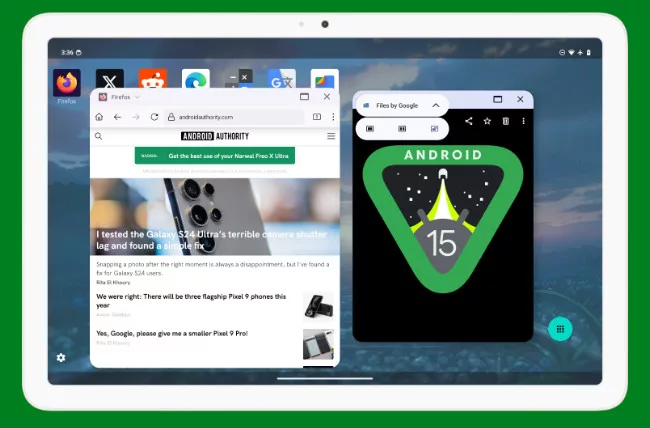
Recent findings indicate that Google is actively enhancing its Windows Android desktop interface as seen in discoveries made by Android Authority while examining developer settings in the latest Android 14 QPR3 2.1 beta version.
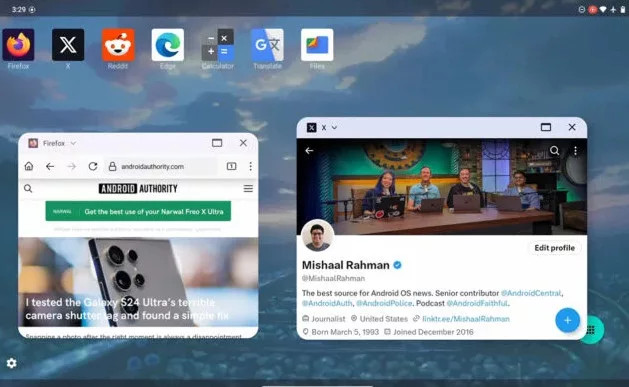
A demonstration of the window experience can be seen in the accompanying video. Essentially, it introduces a title bar with a menu that appears when tapping a small handle on top of a fullscreen app. This menu provides options to switch to fullscreen view, split screen mode, or freeform layout.

When you switch to freeform mode, you can adjust windows easily. There’s a handy “snap to edge” feature that helps place windows on either side of the screen. Now you can smoothly shift from a fullscreen app to a window by just grabbing and moving the new handle. However, some things missing: window positioning options, keyboard shortcuts, for snapping, and a special desktop launcher.
These significant enhancements in productivity and usability are anticipated to coincide with the launch of Android 15, possibly being promoted as part of the Pixel 9 experience upon the release of said devices later this autumn. Google’s recent activation of display output on the Pixel 8 series indicates a renewed emphasis on this feature, suggesting a strategic focus on enhancing user experience.

FAQs

Tags: Android 15Android Desktop ModeGoogle
Previous Post

Casio DJ-120D Calculator Review: The Dependable Companion

Next Post

Max Allegri could leave Juventus at the end of 23/24 in spite of Coppa Italia and UCL qualification

Related Posts

NVIDIA GeForce India's "You Vote, We Build" Campaign: Win a Custom RTX 5060 Gaming PC Worth ₹1.3 Lakh
Technology

NVIDIA GeForce India’s “You Vote, We Build” Campaign: Win a Custom RTX 5060 Gaming PC Worth ₹1.3 Lakh

December 4, 2025
Technology

Samsung CES 2026 ‘The First Look’: DX Vision and AI Experiences Unveiled

December 4, 2025
Technology

Consistent Launches HDMI Extender 60M Series for Long-Distance Transmission

December 4, 2025
Cellecor_Jio Smart TV PPT.cdr
Technology

Cellecor Launches Jio-Powered QLED TVs with Quantum Lucent Display

December 4, 2025
Technology

AWS Deploys AMD EPYC 5th Gen CPUs: 5 GHz Cloud Performance Arrives

December 4, 2025
Technology

AMD EPYC Embedded 9006 Venice CPUs: 96 Zen 6 Cores Meet PCIe Gen6

December 4, 2025
Next Post

Max Allegri could leave Juventus at the end of 23/24 in spite of Coppa Italia and UCL qualification

Leave a Reply Cancel reply

Your email address will not be published. Required fields are marked *

TechnoSports Media Group

© 2025 TechnoSports Media Group - The Ultimate News Destination

Email: admin@technosports.co.in

  • Terms of Use
  • Privacy Policy
  • About Us
  • Contact Us

Follow Us

wp_enqueue_script('jquery', false, [], false, true); // load in footer
No Result
View All Result
  • Home
  • Technology
  • Smartphones
  • Deal
  • Sports
  • Reviews
  • Gaming
  • Entertainment

© 2025 TechnoSports Media Group - The Ultimate News Destination