SA329
SA329 AUS191/4 (54 ov)
 BAN213/3 (74 ov)
 WI
WI FC Goa
 SCD
SCD MIL
MIL BOL
BOL PAR
PAR UDI
UDI VEN
VEN INT
INT GEN
GEN JUV
JUV MON
MON NAP
NAP UAE
UAE OMA
OMA ENG
ENG SL
SL IND-W133/2 (17/50 ov, target 132)
 ZIM-W131
 AS Roma4
 Cagliari2
 Torino1
 Como3
Como3 Sassuolo2
 Lazio6
 DEN
DEN QAT
QAT KENYA
KENYA KUW
KUW POA145/7 (20 ov)
 SPR
SPR SIKM184 & 87/4 (32 ov, target 212)
 NAGA187 & 208
 JHK131/4 (47 ov)
 DELHI515/5d
 ODSA194
 SVCS13/0 (5 ov)
 BRODA616
 J & K303 & 8/1 (6 ov) (f/o)
 CHD685/5d
 HP340/3 (104 ov)
 CGR216/8 (95 ov)
 AP231
AP231 HYD380
 PNJB431 & 57/0 (24 ov)
 AFG
AFG ZIM
ZIM BRB
BRB VAG
VAG LIONS
LIONS EASTN
EASTN WELL
WELL OTAGO
OTAGO MIS
MIS TOK
TOK JAB
JAB KAG
KAG PAK110
 NAM316/7
 IRE253 (44.5/50 ov, target 317)
 NZ198/3
 IND199/4 (13.2/20 ov, target 199)
 NED371/5
 SIB0
SIB0 MBV0
MBV0 TCV0
TCV0 SEO4
SEO4 Al Khaleej
 Al Hazem
 Frosinone
 Lecce
Lecce Abha0
Abha0 Al Faisaly1
 GAM1
GAM1 BUR1
BUR1 KAN3
KAN3 POH0
POH0
Google just supercharged its translation ecosystem with Gemini 2.5 integration, bringing AI-powered contextual understanding and real-time audio translation to billions of users. The updates span Google Search and the Translate app, focusing on nuanced language interpretation and hands-free learning experiences. Here’s everything you need to know about these game-changing features.
Table of Contents
Google Gemini 2.5 Translate Features Overview
| Feature | Availability | Languages Supported | Device Requirement |
|---|---|---|---|
| Contextual Translation | Global (Search & Translate) | All supported languages | Any device |
| Language Practice Tool | 20 countries (incl. India) | 8+ languages | Translate app |
| Live Translate Audio | US, Mexico, India | 70+ languages | Any headphones + Android |
Smarter Idiom and Slang Translation
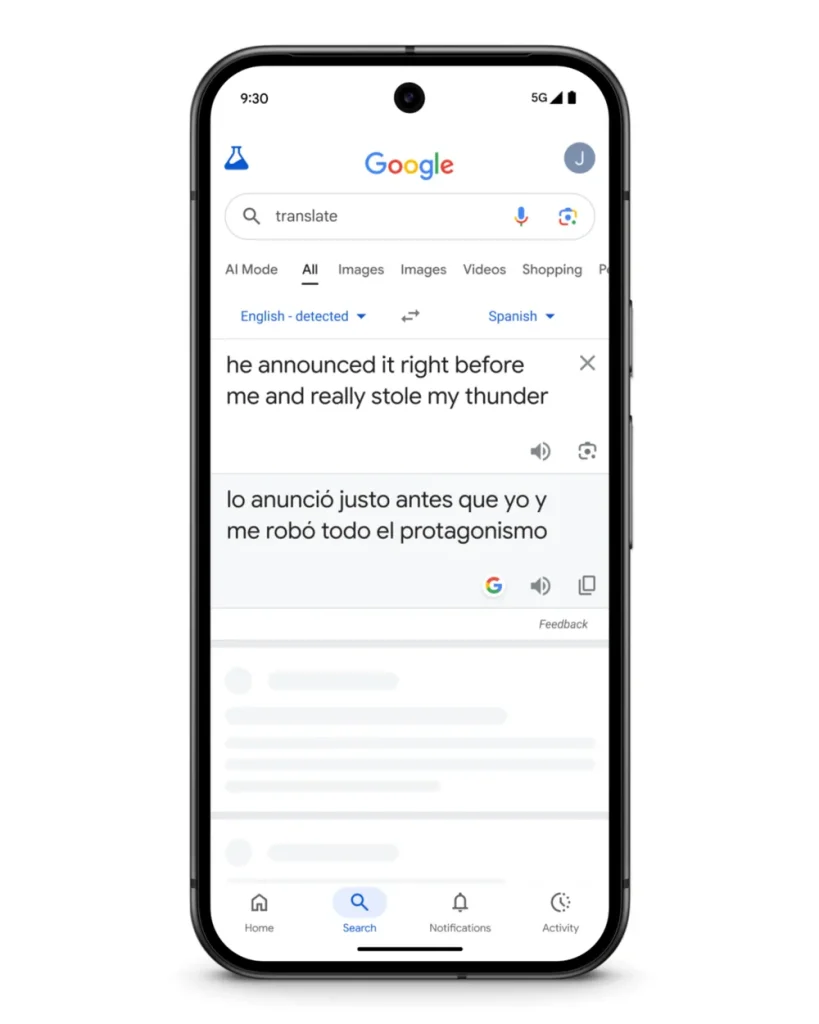
Google Translate now leverages Gemini 2.5’s contextual understanding to handle idioms, local expressions, and slang—areas where literal translations often fall flat. For example, searching “stealing my thunder” no longer gives word-for-word results. Instead, Gemini analyzes context to deliver culturally appropriate translations that capture actual meaning.
This addresses a longstanding pain point for language learners and travelers who encounter colloquial phrases that don’t translate directly across cultures.
Language Learning Gets Gamified
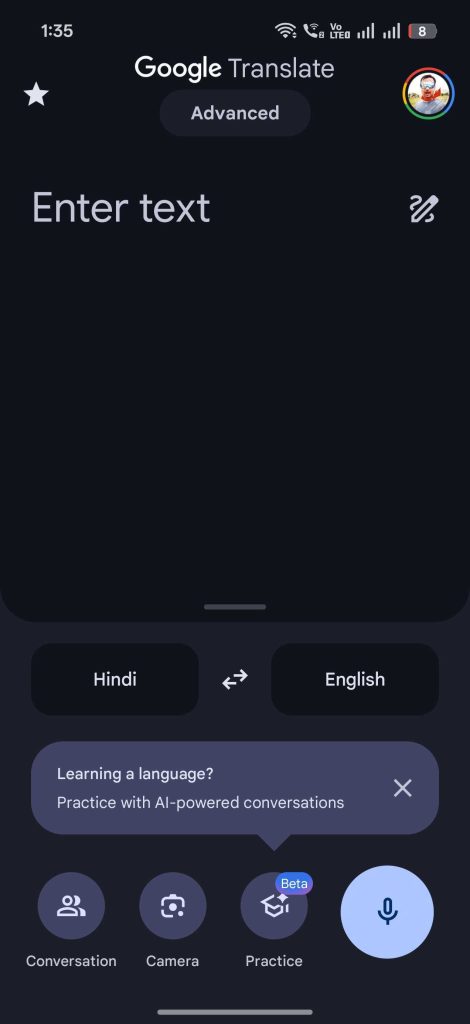
The Google Translate app now tracks daily learning streaks within its practice tool (beta). Users in India, Germany, Sweden, Taiwan, and 16 other countries can build consistency by practicing languages daily. Currently supports:
- To English: Bengali, Mandarin Chinese, Dutch, German, Hindi, Italian, Romanian, Swedish
- From English: German, Portuguese
This feature turns casual translation into structured learning, perfect for language enthusiasts building new skills.
Live Translate: Real-Time Audio Translation
Powered by Gemini 2.5 Flash Native Audio, Live Translate delivers streaming speech-to-speech translation directly to your headphones. Simply tap “Live Translate” in the app—no special hardware required.
Use Cases:
- Conversing in unfamiliar languages during travel
- Following foreign-language lectures or speeches
- Watching international films without subtitles
Unlike Apple’s AirPods Pro 3 exclusive feature, Google democratizes this technology for any headphones paired with Android devices. The system preserves speaker tone, emphasis, and cadence, making conversations feel natural rather than robotic.
Regional Advantage: Indian users get access to Tamil, Kannada, Hindi, Malayalam, and Bengali alongside 65+ other languages—a major win for multilingual regions.
How This Compares to Competitors
While Apple limits similar functionality to premium hardware, Google’s approach prioritizes accessibility. The integration of Gemini AI into existing apps means no separate subscriptions or expensive gadgets—just download the latest Translate app update.
Google’s focus on contextual accuracy over literal translation represents a philosophical shift in language technology, acknowledging that effective communication requires cultural understanding, not just dictionary lookups.
The rollout begins today for Android users in select countries, with broader availability expected in 2026. Download or update Google Translate to access these features.