


Gmail’s latest update brings Gemini AI, Material Design 3, and tablet-friendly features. Are you ready for the ultimate email experience?
Table of Contents

The Gmail Transformation: AI Meets Design
Google is reshaping the email experience, and it’s nothing short of revolutionary. Imagine an email app that’s not just a communication tool but an intelligent workspace that adapts to your needs.
Key Updates at a Glance
| Platform | New Features |
|---|---|
| Android Tablets | Flexible pane slider |
| iOS | Material Design 3 update |
| Workspace | Gemini AI image generator |
AI Meets Email: The Gemini Breakthrough
Image Generation on the Fly
Gemini’s image generator is now integrated directly into the Gmail sidebar. Want to create a visual for your email? It’s as simple as a few clicks:
- Generate images within the app
- Save or copy generated images
- Insert directly into email drafts
Design Evolution: Material Design 3
Tablet and Mobile Harmony
Google is bringing consistency across platforms:
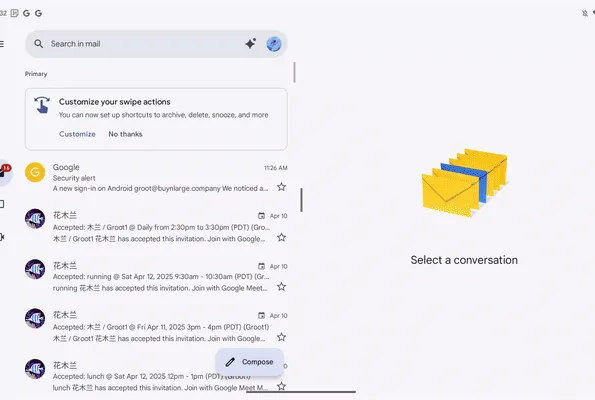
- Adjustable panes on Android tablets
- Pill-shaped buttons on iOS
- Rounded search bar redesign
- Unified look across Android, iOS, and web versions
FAQs
Q: Is the Gemini image generator available for personal accounts?
A: Currently, it’s limited to Workspace users.
Q: How do I adjust panes on Android tablets?
A: Simply drag the divider to resize list and conversation views.
Q: Will these updates affect my existing Gmail setup?
A: Updates are rolling out gradually for both personal and Workspace accounts.
The Future of Email is Here
Google is transforming Gmail from a simple email client to an intelligent, adaptable workspace. With AI-powered features and sleek design updates, your email experience is about to get a serious upgrade.