SA329
SA329 AUS330/4 (90 ov)
 BAN213/3 (74 ov)
 WI
WI MIL
MIL BOL
BOL PAR
PAR UDI
UDI VEN
VEN INT
INT GEN
GEN JUV
JUV MON
MON NAP
NAP UAE
UAE OMA
OMA ENG
ENG SL
SL AFG
AFG ZIM
ZIM FC Goa1
 SCD1
SCD1 IND-W133/2 (17/50 ov, target 132)
 ZIM-W131
 AS Roma4
 Cagliari2
 Torino1
 Como3
Como3 KENYA
KENYA KUW
KUW LIONS
LIONS EASTN198/6 (20 ov)
 SIKM184 & 87/4 (32 ov, target 212)
 NAGA187 & 208
 JHK131/4 (47 ov)
 DELHI515/5d
 ODSA194
 SVCS13/0 (5 ov)
 BRODA616
 J & K303 & 8/1 (6 ov) (f/o)
 CHD685/5d
 HP340/3 (104 ov)
 CGR216/8 (95 ov)
 AP231
AP231 HYD380
 PNJB431 & 57/0 (24 ov)
 KNTKA490/9d
 TPURA194 & 98/3 (38 ov)
 MR-W
MR-W ST-W
ST-W MS-W
MS-W HH-W
HH-W WELL
WELL OTAGO
OTAGO MIS
MIS TOK
TOK JAB
JAB KAG
KAG PAK110
 NAM316/7
 IRE253 (44.5/50 ov, target 317)
 NZ198/3
 IND199/4 (13.2/20 ov, target 199)
 BRB81 (12.1/20 ov, target 178)
 VAG177/7
 ALJ0
ALJ0 ALM2
ALM2 ALN0
ALN0 ALR2
ALR2 SGD0
SGD0 S040
S040 SCF1
SCF1 WOB0
WOB0 SCP0
SCP0 VFB0
VFB0 SSV0
SSV0 BSC0
BSC0 Al Khaleej
 Al Hazem
 Frosinone
 Lecce
Lecce Al Nassr
 Al Kholood
 Sassuolo2
 Lazio6
 Abha0
Abha0 Al Faisaly1
 GAM1
GAM1 BUR1
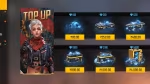
BUR1The promise of exclusive loot in Free Fire MAX depends on working reward systems, yet players often run into frustration. Many believe that entering codes correctly guarantees success, but factors like account status and regional restrictions can also play a major role.
Understanding these hidden variables can help players secure rewards more consistently. This guide explains why Free Fire MAX redeem codes may not work and offers practical steps to fix the problem.
Common Reasons Free Fire MAX Redeem Codes Not Working
To find the cause of a failed redemption, check both technical limits and the information you entered. External factors can override correct code entry, so even perfectly typed codes may trigger rejection messages.
Expired Codes
New players sometimes assume promotional codes stay active indefinitely after their announcement. Garena’s official Rewards Redemption Site, reward.ff.garena.com, accepts redeem codes, but codes remain available only for a limited time.
Redeem codes generally expire within 12 to 24 hours of release, so timing matters. Miss that narrow window, and you may see an invalid entry message instead of receiving the skin you wanted. During major events, codes spread quickly, and only the fastest players claim the limited inventory.
Regional Restrictions
Each server operates as a separate ecosystem, and players can’t move digital currency or rewards across geographic boundaries. A code released for the European server won’t work on Indian or Brazilian servers because of these restrictions.
Codes are often region-locked, so a code released for one region may not work on another region’s server. If you try a global event code on a localized server, the system rejects it because its database can’t find a matching regional identifier. This separation prevents economic imbalances between markets, but it can frustrate travelers trying to use codes abroad.
Incorrect Code Entry
Manual entry can introduce human error into what should be a simple verification process. Free Fire MAX redeem codes usually contain 12 or 13 alphanumeric characters, and every character must be correct.
One mistyped letter or digit makes the system reject the entire code, even if it closely resembles the intended one. Mobile keyboards may also auto-correct special characters, changing the sequence before it reaches the redemption portal. Copying and pasting from official announcements avoids transcription errors and sends the exact code to the validation system.
Account Status Issues
Guest accounts don’t have the integration needed for complex reward distribution. Guest accounts cannot redeem codes; players must link their Free Fire MAX accounts to platforms like Facebook, Google, VK, or Apple. Without that connection, the backend system can’t assign a redeemed item to a permanent player profile, so it returns a failure message.
Effective Fixes and Troubleshooting Steps
Before changing device settings, check the conditions around the failed redemption. Verifying your setup can save you from unnecessary troubleshooting.
Check Code Validity
Check where a code came from before trying it; this can save time on fake entries. Garena reportedly often releases new redeem codes during official esports tournaments, including the Free Fire World Series (FFWS), making these events reliable places to find valid codes.
Before redeeming a code, compare it with official social media announcements or partnered gaming news outlets. Check its length and characters against known valid formats to catch corrupted data early. The Free Fire MAX announcements can help you find valid sources and avoid unsafe redemption attempts.
Use Official Platforms
Third-party generators may promise free diamonds, but they often deliver malware or phishing attempts instead. Use the dedicated redemption portal so the system can properly authenticate each code.
The official Rewards Redemption Site processes transactions without unauthorized intermediaries and protects user data with strict security standards. Go directly to reward.ff.garena.com to avoid fake pages designed to steal login credentials. Authorized pathways help protect your personal information and improve your chances of receiving items.
Clear Cache and Data
Temporary files can disrupt communication between the game and reward servers. Mobile devices store cached data to load content faster, but outdated files can cause synchronization problems.
Clearing the application cache makes the game retrieve fresh connection details from the central database, which can resolve many connectivity errors. Open your device settings and clear the cache so leftover data doesn’t block the redemption request. This quick maintenance step often restores functionality without drastic measures.
Reinstall the Game
Persistent errors may point to a corrupted installation file that needs a complete reset. If other troubleshooting steps fail, remove the application and reinstall it. Reinstalling the game creates a clean slate by removing corrupted configuration files that may block redemption features.
Download the latest version from the official app store to restore fully functional network connections. A fresh installation can also remove legacy bugs that build up over months of gameplay.
FAQs
What to do if the code is expired?
Once a code’s redemption window closes, it can’t be used. Players can’t reactivate a code after it passes its time limit or maximum usage limit. We recommend checking the Free Fire Max archives for other active promotions with similar rewards.
Set a calendar reminder for future drops so you don’t miss another short redemption window. You can also explore the Free Fire Max archives for active promotions and more valuable items.
Are there regional limitations for redeem codes?
Regional limits help maintain balanced economies across global markets. A code used outside its designated territory will be rejected because its server identifier won’t match.
Check your account’s server region before looking for relevant codes. If you’re traveling internationally, local community forums may list offers for your current location. Sticking to the right region prevents frustration and helps transactions go smoothly.
How can I verify my account status?
Account verification is required to access advanced game features and reward systems. To check your account status, open the settings menu and confirm that each platform-linking option shows as connected.
Guest profiles display a warning that they can’t process external rewards. Update your profile information to resolve discrepancies that might trigger security reviews. Check the Free Fire MAX daily updates for new ways to bind your account and keep it stable.
What steps should I take if codes still don’t work?
When errors persist, rule out possible causes methodically rather than guessing. If codes still don’t work after you verify their validity and clear the cache, reinstalling the game offers the most thorough fix for underlying corruption.
Keep your internet connection stable throughout the process to avoid interrupted data transfers. If these steps don’t resolve the issue, contact official support for direct help. Patient, methodical testing can restore successful redemptions.
Here’s the bottom line: regional locks, expiration limits, and account-binding requirements can turn failed redemptions into predictable problems. Stick to official sources and check your server region before spending time on codes that won’t work.
Read Next
- Minimum Wage Review: Netflix’s Small-Scale Workplace Drama Has a Big, Uncomfortable Point About Work
- Clayface Movie and Gotham Villain Series Buzz: Why DC’s Creepiest Batman Rogue Could Steal the Spotlight
- TCL 65-Inch RGB Mini LED TV With 144Hz Is ₹89,991 With Coupon and HDFC Offer
Was this article helpful?
Your feedback directly improves future articles on this site.