Apple officially launched iOS 26.2 on December 12, bringing meaningful updates to iPhone users worldwide. This second major update since iOS 26’s September debut focuses on refining the controversial Liquid Glass design and adding practical productivity features.
Table of Contents

Key Features at a Glance
| Feature | What’s New | Device Support |
|---|---|---|
| Liquid Glass Slider | Adjustable clock transparency | iPhone 11 and later |
| Urgent Reminders | Alarm-triggered task alerts | All iOS 26.2 devices |
| Offline Lyrics | View Apple Music lyrics offline | Music subscribers |
| Enhanced AirDrop | One-time sharing codes | iPhone 11+ |
Liquid Glass Refinements Address User Concerns
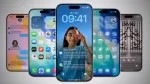
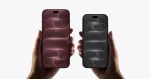
The standout change in iOS 26.2 is the new Lock Screen customization slider for Liquid Glass opacity. Users can now fine-tune how frosted or transparent their clock appears, moving beyond the fixed presets that drew criticism since iOS 26‘s launch.
This adjustment gives iPhone owners greater control over readability, a major pain point with the Liquid Glass design language introduced this year. The update lets you balance Apple’s aesthetic vision with practical visibility needs.

Urgent Reminders Turn Notifications Into Alarms
iOS 26.2 transforms the Reminders app with alarm functionality. Toggle “Urgent” on any reminder, and it’ll trigger a full alarm instead of a quiet notification—complete with snooze options and Lock Screen Live Activity tracking.
This bridges the gap between calendar alerts and wake-up alarms, ensuring critical tasks don’t slip through notification overload. The feature uses distinctive blue colors to differentiate reminder alarms from standard ones.

Music, Podcasts, and Privacy Upgrades
Apple Music subscribers gain offline lyrics support, perfect for flights or remote areas. The Podcasts app now auto-generates chapter markers and includes in-episode links to mentioned shows, improving navigation and discovery.
AirDrop receives a privacy boost with one-time sharing codes, letting you send files to strangers without exposing your device to everyone nearby. This addresses long-standing concerns about the “Everyone” setting’s security implications.
The update also includes Enhanced Safety Alerts for U.S. users, providing rich maps and guidance during emergencies like floods or natural disasters.
FAQs
Does iOS 26.2 fix the Liquid Glass controversy?
The new opacity slider addresses visibility complaints, though the overall design language remains unchanged.
Can I use reminder alarms with Focus modes?
Yes, urgent reminder alarms can break through Focus mode restrictions like standard alarms.