BAN
BAN WI235/4 (70 ov)
 AFG
AFG ZIM326/5 (87 ov)
 MIL
MIL FER
FER AND
AND SLZ
SLZ CRY
CRY TSG
TSG LEV
LEV JAG
JAG LSK
LSK PLZ
PLZ NEC
NEC OMON
OMON RSO
RSO LYON
LYON SPP
SPP BOU
BOU MBSG3
MBSG3 OFC2
OFC2 CHU0
CHU0 NEU2
NEU2 Dortmund2
 Betis1
 FC Porto4
 Napoli1
 WAR
WAR BOL28/0 (2.5/20 ov)
 KRBLS280 & 2/1 (2 ov)
 SRB241 & 388/5d
 FSLB259 & 54/1 (26 ov) (f/o)
 PRB503/4d
 LAHW234 & 40/4 (17 ov, target 412)
 FATA362 & 283
 ISB215 & 163/6 (51 ov)
 MUL327
 DMJIR290 & 134/5 (46 ov) (f/o)
 HYD-R519/8d
 PCBXI151/8d
 SL223/7d & 121/6 (38 ov)
 ZIM-A
ZIM-A IRE-A420/9 (90 ov)
 NZ
NZ IND
IND MS-W
MS-W SS-W
SS-W KAY
KAY SPR
SPR TUSK
TUSK RHINO
RHINO MOUNT
MOUNT ROCKS
ROCKS CHR
CHR POA
POA EASTN
EASTN DOLPH
DOLPH IND19
IND19 NEP19
NEP19 WI-A123 (16.3/20 ov, target 220)
 LIONS219/7
 UAE226/8
 OMA184/9 (50 ov, target 227)
 ST-W166 (19/20 ov, target 184)
 PS-W183/3
 AS-W170/5 (20 ov)
 BH-W184/4
 HH-W154/7
 MR-W155/6 (19.5/20 ov, target 155)
 BIK83
BIK83 KAG86/1 (9.4/20 ov, target 84)
 Lens1
Lens1 Como9
Como9 PSV1
PSV1 Club Brugge2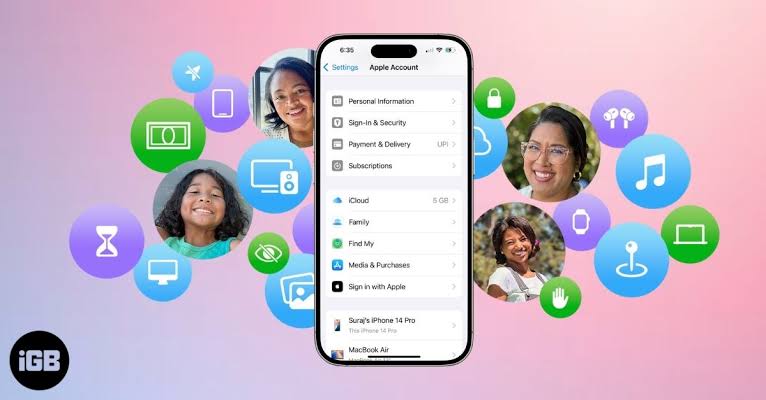
Apple rolled out iCloud Family Sharing alongside iOS 8 on June 2, 2014, giving users worldwide a way to share purchases, subscriptions, and storage. The iPhone 17 Pro Max launched at a stated starting
Apple iCloud Family Sharing: What You Can Share
Apple iCloud Family Sharing supports up to six family members, including the organiser, for shared purchases, subscriptions, and storage plans. The organiser builds the family group and invites the rest through their Apple Accounts. Each member keeps a separate account, so private photos, messages, documents, and passwords don’t automatically become visible to anyone else.
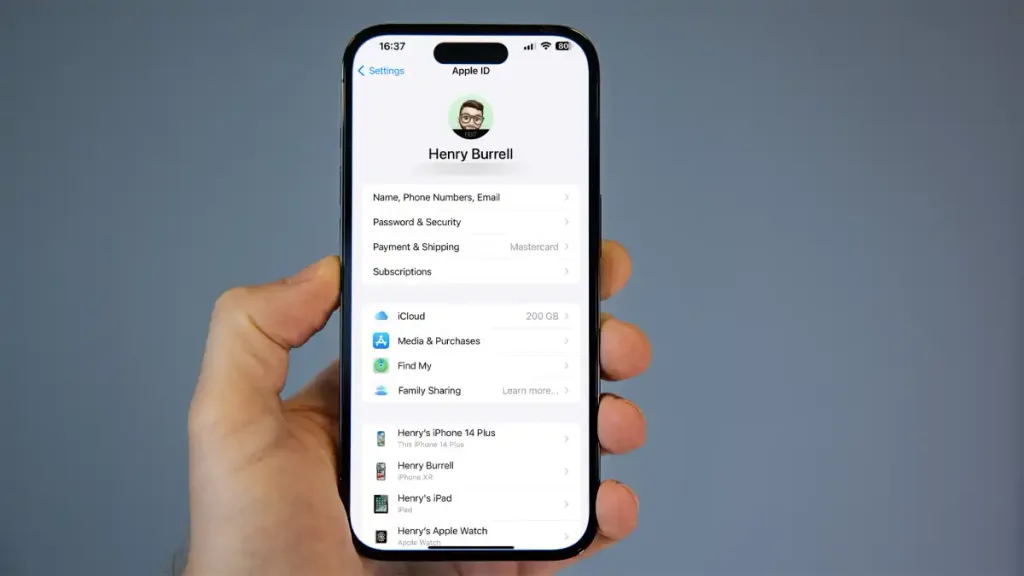
Start on an iPhone or iPad by opening Settings, tapping your Apple Account name, and selecting Family. Choose Set Up Your Family, then follow the invitation prompts. On a Mac, the equivalent controls sit in System Settings, your Apple Account, and Family. Security should come before convenience. Enable two-factor authentication for every Apple Account, use a different password for each account, and remove old members or unknown devices before sharing storage. The organiser should also check Purchase Sharing, since shared purchases can use the organiser’s payment method.
| iCloud+ storage tier | Best fit |
|---|---|
| 50GB | One person with light backups |
| 200GB | A small family with regular backups |
| 2TB | Several devices and photo libraries |
| 6TB | Larger households with heavy media use |
| 12TB | Families with extensive storage needs |
Apple Intelligence features need devices with at least 8GB of RAM, including the iPhone 16 lineup introduced on September 9, 2024. That requirement is separate from iCloud storage: buying a larger plan won’t add RAM or make an unsupported iPhone compatible with Apple Intelligence. The supplied material also describes the Apple A19 Pro chip as using a 2-nanometer manufacturing process, though that detail remains unconfirmed. For more detail, see Gizmodo.
Why Apple iCloud Family Sharing Matters for Indian Families
Family Sharing can cut down on duplicated subscriptions when parents and children use separate Apple Accounts. It also gives families one place to manage shared storage while keeping personal files separated. Apple iCloud Bundle coverage can help users understand how broader subscription packages fit alongside Family Sharing, but the available benefits depend on the plan and region.
The organiser should avoid sharing one Apple Account with everyone. A shared login exposes private data, complicates account recovery, and makes it harder to identify who changed a setting. Individual accounts with Family Sharing are safer, because access is granted through invitations rather than through one common password. Payment controls deserve extra attention. Turn on Ask to Buy for children, review the organiser’s payment method, and check purchase history after adding a member. Family members should also understand that shared purchases may remain available while a person belongs to the group, but access can change after leaving it.
Apple iCloud Setup: What to Check Next
After setup, open Settings > Family and review every member, shared service, and permission. Confirm that each invited person accepts the invitation from their own Apple Account, then check Find My and location-sharing settings separately. Location sharing is optional, and the people involved should agree to it.
Families should review the group whenever someone changes devices, leaves the household, or loses access to an account. Apple Pay UPI is a separate service from Family Sharing, so its availability shouldn’t be treated as proof that purchases or storage are shared automatically. A Zepto Offer Apple promotion may reduce the cost of a device, but it doesn’t replace an iCloud+ plan. The next step is simple: enable two-factor authentication, choose the smallest suitable iCloud+ tier, and audit the family group once a month. Secure Apple iCloud Family Sharing starts with separate accounts, limited permissions, and regular reviews—not a shared password.
FAQs
How many people can use Apple iCloud Family Sharing?
Apple iCloud Family Sharing supports up to six family members, including the organiser. Members can share eligible purchases, subscriptions, and storage
Was this article helpful?
Your feedback directly improves future articles on this site.