OnePlus AI Music Studio: All You Need to Know
Historically, the creation of music has been a skill held by a select few. Typically, composing a new track involves collaboration among various individuals, including singers, lyricists, backup singers, and musicians. However, imagine being able to compose your own song within a matter of minutes. Enter the OnePlus AI Music Studio.
The All New OnePlus AI Music Studio
OnePlus, a prominent player in the smartphone industry, has recently introduced its latest innovation – the OnePlus AI Music Studio. This AI tool empowers users to create their own songs effortlessly. The process is simple: input a prompt, specify the genre and tone of the song, and you’re done.
Ishita Grover, Director of Marketing at OnePlus, discussed the newly launched venture, emphasizing the company’s commitment to innovation and enabling their community to push creative boundaries. She stated, “The OnePlus AI Music Studio embodies our commitment to empowering users to explore their creativity in unprecedented ways.”
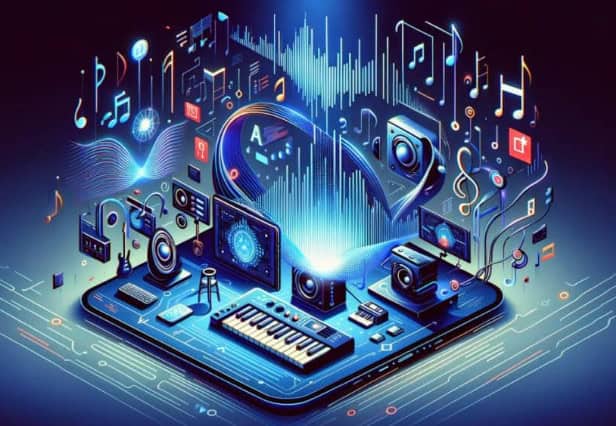
The AI Music Studio allows users to generate lyrics and combine them with AI-generated beats, resulting in the creation of a completely new song. Grover highlighted that this platform isn’t just a tool; it represents a unique fusion of technology and creativity, offering users the chance to unleash their inner artist.
After generating a new song, users have the option to share it with the world by hitting the Publish button. OnePlus assures users that they can “download and spotlight their masterpieces across various social media platforms.” Furthermore, the AI Music Studio provides a pathway for recognition, allowing users’ tracks to be voted to the top and potentially featured by OnePlus. To generate a new song using OnePlus’ AI Music Studio, users can follow these steps:
- Set up your account: Create an account on the OnePlus AI Music Studio website, or log in using your existing OnePlus account.
- Choose your genre: Select from a range of genres, including hip-hop and EDM.
- Customize your song: Adjust the mood, theme, and other elements of your song for the perfect sound.
- Provide a prompt: Enter a few words or a sentence to inspire the AI to create your song. Click “generate” when you’re ready.
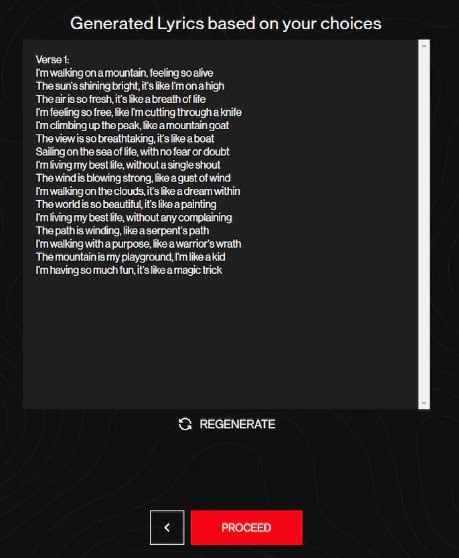
- Finalize the lyrics: The AI platform generates lyrics based on your prompt. Review them and, if satisfied, proceed to the next step. You can also regenerate the lyrics if needed.
- Review and finalize: If content with the lyrics, click “Proceed,” and the song will be generated. Listen to and review your creation.
- Share your music: Hit “Publish” to share your creation with friends, family, and the world. You can also download the song for personal use.