
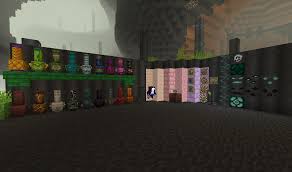
Ever wondered what happened to Minecraft’s ancient creatures? The Bygone mod answers that question by introducing a massive prehistoric dimension accessible through archaeology. This content-rich modification adds new biomes, unique creatures, mysterious items, and atmospheric music—all hidden behind a portal similar to the Nether and End. Here’s everything you need to know about this game-changing mod.
Table of Contents
The Bygone Mod: Minecraft Reference
| Feature | Details |
|---|---|
| Mod Type | Dimension/Adventure |
| Compatibility | Fabric & NeoForge 1.21.1 |
| Portal Activation | Arcane Core (from Trail Ruins/Ominous Vaults) |
| Portal Location | Y=-20 and below (also found via cartographer maps) |
| Total Biomes | 6 Unique Prehistoric Biomes |
| Special Items | Echo Gong, Exotic Arrows, Malicious War Horn, Verdigris Blade |
| Download Platform | CurseForge, Modrinth |
What Is The Bygone Mod?
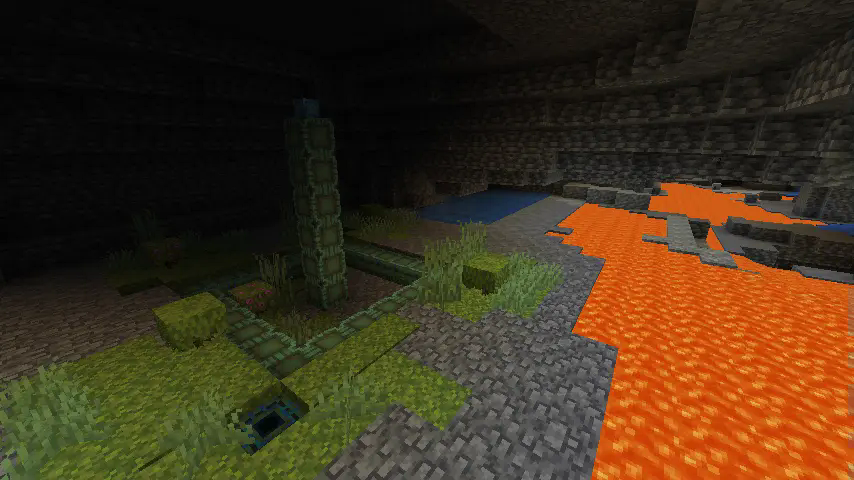
The Bygone is a content-rich mod for Minecraft that adds a prehistoric parallel dimension accessed through Bygone Frames activated with unique Arcane Cores obtained via archaeology and new cartographer maps. Unlike many dimension mods that feel disconnected from vanilla gameplay, The Bygone integrates seamlessly through Minecraft’s archaeology system, making discovery feel natural and rewarding.
The dimension prioritizes exploration and discovery, with each biome offering distinct visual aesthetics, creatures, and resources. Your game feels vanilla on the surface, but beneath lies a prehistoric world filled with ancient secrets waiting to be uncovered.
For more Minecraft mod guides and gaming tips, visit TechnoSports.
How to Install The Bygone Mod
Step 1: Download Required Files Head to CurseForge and search for The Bygone mod. Download the mod file compatible with Fabric or NeoForge 1.21.1. If using Fabric, also download the Fabric API.
Step 2: Install to Mods Folder Locate your Minecraft directory (typically C:\Users\[YourName]\AppData\Roaming\.minecraft on Windows). Copy the downloaded mod files into the “mods” folder. If the folder doesn’t exist, create it.
Step 3: Launch Modded Minecraft Open the Minecraft launcher and select the Fabric or NeoForge 1.21.1 modded profile. Create a new world and start your prehistoric adventure!
Six Unique Prehistoric Biomes
1. The Underhang
A lush upside-down forest with some familiar mobs. This gravity-defying biome challenges your perception with vegetation growing from the ceiling, creating an alien yet oddly familiar landscape.
2. Megalith Fields
Pillars of strange faces and large chunks of floating stone reside here. Ancient structures tower above the landscape, their mysterious faces watching your every move. Perfect for adventurers seeking epic screenshots and hidden secrets.
3. Sable Groves
Twisted trees and boulders take up the land here. Dark, ominous, and filled with danger, this biome rewards brave explorers with rare resources scattered among the twisted vegetation.
4. Amber Desert
Chunks of ancient Amber and fossils are scattered throughout this arid wasteland. A paleontologist’s dream, this biome offers preserved remains of ancient creatures and valuable amber deposits for crafting.
5. Shelvehollow
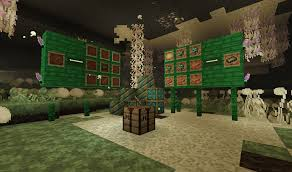
Strange spores fill the air in this fungal biome. A mushroom-filled ecosystem where bioluminescence creates an otherworldly atmosphere, perfect for resource gathering with unique flora.
6. Primordial Ocean
Shelves of ancient water stacked upon each other to form this biome. Layered water formations create a unique aquatic environment unlike anything in vanilla Minecraft.
For esports news and gaming content, check out TechnoSports.
Essential Items and Weapons
Arcane Core
A unique item that can light the Bygone Portals found in Y=-20 and below! Can be found in Ominous Vaults or more commonly in Trail Ruins via Archaeology. This is your key to accessing the entire dimension—prioritize obtaining it through archaeology expeditions.
Echo Gong
A unique instrument that will build up charge and releases it in an AOE shockwave around the player which breaks fragile blocks and debuffs opponent mobs with weakness. Perfect for mining expeditions and combat situations.
Exotic Arrows
When you make an Arrow with Exotic Plumage (Found from Big Beaks), you get this handy arrow! It will return to you if you miss your shot. Just ensure your inventory has space when firing—these boomerang arrows are game-changers for conserving resources.
Malicious War Horn
A unique instrument found only in the Villages, when used it can summon a fury of Vexes that will fight for the Player. These Vexes will die after 40 seconds, and there is a cooldown period afterwards. Excellent for overwhelming difficult encounters.
Verdigris Blade
A unique Sword only found in the Sewers! It can block (most) damage, and instant hits. This dual-purpose weapon combines offense and defense, making it invaluable for survival.
Getting Started: Your First Portal
Step 1: Explore Underground Descend to Y=-20 or below in your Minecraft world. Bygone Frames naturally generate at these depths. Alternatively, obtain cartographer maps that reveal portal locations.
Step 2: Locate Trail Ruins Trail Ruins are your best source for Arcane Cores. Use archaeology techniques—brush suspicious gravel and sand blocks to uncover these precious activators. Ominous Vaults also contain them but are rarer.
Step 3: Activate the Portal Once you’ve found a Bygone Frame and obtained an Arcane Core, right-click the frame with the core to activate the portal. The familiar purple swirl indicates you’re ready to travel to the prehistoric dimension.
Step 4: Prepare for Adventure Stock up on food, weapons, armor, and building materials. The Bygone dimension is dangerous, and respawning back in the Overworld means a long journey to return.
Exploration Tips and Strategy
Establish Base Camps: Build small outposts in each biome to store resources and mark your progress. The dimension is vast, and getting lost is easy.
Prioritize Mapping: Craft maps immediately upon entering new biomes. The unfamiliar terrain makes navigation challenging without proper cartography.
Creature Observation: Many prehistoric creatures have unique behaviors. Study them from a safe distance before engaging to understand attack patterns and weaknesses.
Resource Management: Rare materials like amber, fossils, and exotic plumage are finite in each biome section. Collect wisely and mark locations for return trips.
Music Appreciation: The Bygone features custom atmospheric music that enhances immersion. Play with sound on to fully experience the prehistoric ambiance.
Visit the official Minecraft website for the latest game updates and modding resources.
Why The Bygone Mod Stands Out
The Bygone differentiates itself from typical dimension mods through meaningful integration with vanilla mechanics. Rather than requiring obscure crafting recipes or arbitrary materials, it leverages Minecraft’s archaeology system—a feature many players appreciate but find underutilized.
The mod’s visual design is stunning, with each biome feeling cohesive yet distinct. The prehistoric theme is executed consistently across creatures, blocks, and ambient sounds, creating an immersive experience that feels like an official Minecraft update rather than a third-party addition.
Most importantly, The Bygone respects player time. Content isn’t artificially gated behind excessive grinding—instead, discovery feels organic and rewarding, encouraging exploration over repetitive resource farming.
For daily Minecraft guides, mod reviews, and gaming news, stay connected with TechnoSports.
Frequently Asked Questions
Q1: Can I use The Bygone mod with other Minecraft mods?
Yes, The Bygone mod is designed to be compatible with most other Minecraft mods, particularly those that don’t heavily modify dimension generation or archaeology mechanics. It works with both Fabric and NeoForge 1.21.1 mod loaders, giving you flexibility in choosing your modding ecosystem. However, dimension-heavy mods or those that significantly alter underground generation might cause conflicts. If you’re using large modpacks, check compatibility lists on the CurseForge or Modrinth pages. Popular mods like biome overhauls, creature additions, and quality-of-life improvements typically work seamlessly alongside The Bygone. Always back up your world before adding new mods, and test in creative mode first to ensure stability. The mod developer actively maintains The Bygone and addresses compatibility issues reported by the community through the official Discord server.
Q2: What happens if I die in The Bygone dimension?
When you die in The Bygone dimension, you respawn at your set spawn point in the Overworld, just like dying in the Nether or End. Your items will drop at your death location in The Bygone dimension, and you’ll have the standard time limit to retrieve them before they despawn (typically 5 minutes). To return and recover your items, you’ll need to travel back through the portal using another Arcane Core if your original one was lost, or simply walk back through if the portal remains active. This makes it crucial to establish safe base camps within The Bygone before venturing deep into dangerous biomes. Always carry spare Arcane Cores when exploring, and consider placing ender chests to store valuable items. Building a bed near your portal entrance isn’t possible as The Bygone doesn’t allow respawn point setting within the dimension—making careful preparation essential before each expedition.