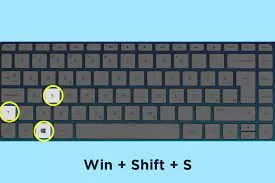
How to screenshot by laptop: Top 10 ways: There are various methods for taking screenshots on your Windows 10 or Windows 11 PC. So without wasting much time, let’s go into the list of ways with which you can take screenshots on your PC.
How to screenshot by laptop: Top 10 ways to take screenshots

Also Read:
- Full Form of BCA: What does this tech education course include?
- Best sites for JPEG compression Online as of August 2023
FAQs
How do I take a screenshot of my entire screen on a Windows laptop?
Press the “Print Screen” (PrtScn) button on your keyboard. The screenshot is copied to your clipboard. Paste it into an image editor to save it.
How do I take a screenshot of a specific window on a Windows laptop?
Press “Alt” + “Print Screen” to capture the active window. Paste it into an image editor to save it.