TechnoSports Media Group
  • Home
  • Technology
  • Smartphones
  • Deal
  • Sports
  • Reviews
  • Gaming
  • Entertainment
No Result
View All Result
  • Home
  • Technology
  • Smartphones
  • Deal
  • Sports
  • Reviews
  • Gaming
  • Entertainment
No Result
View All Result
TechnoSports Media Group
No Result
View All Result
Home Application mobile

How to Clean Your Phone’s USB Port at home?

Avik Roy by Avik Roy
July 12, 2022
in mobile, Technology, World News
0
How to Clean Your Phone's USB Port at Home

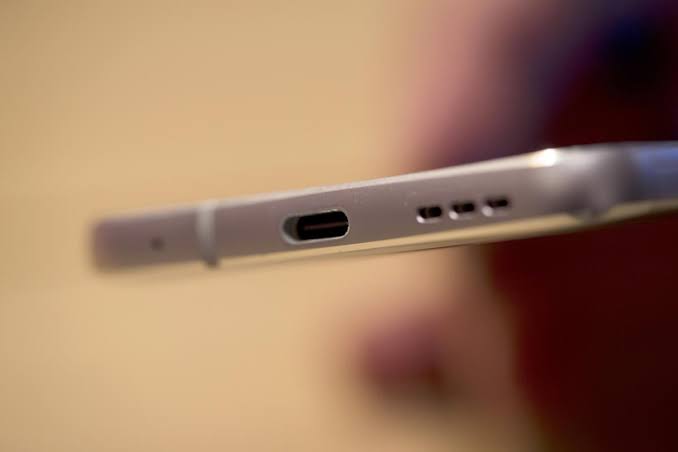
Every smartphone has a USB port for charging and data transfer but they attract all manner of dirt after some time of use. This will make your smartphone unreadable to your computer or unchargeable whenever you connect it to a power source.

Whether it is Micro USB, USB Type-C or any other, you can clean the USB port on your phone easily at home without damaging it.
RelatedPosts

Samsung Galaxy Z TriFold: Everything You Need to Know About the Revolutionary Triple-Folding Phone

Exclusive: Top 10 Gaming Laptops Under Rs. 1 Lakh as of 2025

Eid 2025 Party Playlist: Top Bollywood Songs to Make Your Celebration Unforgettable

If your USB port has stopped working or looks a little dusty, here’s how to clean it safely.

Clean your phone’s USB port using Compressed Air

The USB port on your phone is sensitive, so you need a gentle hand when cleaning it. By far, the safest way to clean the USB port on your phone is with compressed air. Compressed air will loosen dust and blow out dirt without you needing to insert anything into the port.
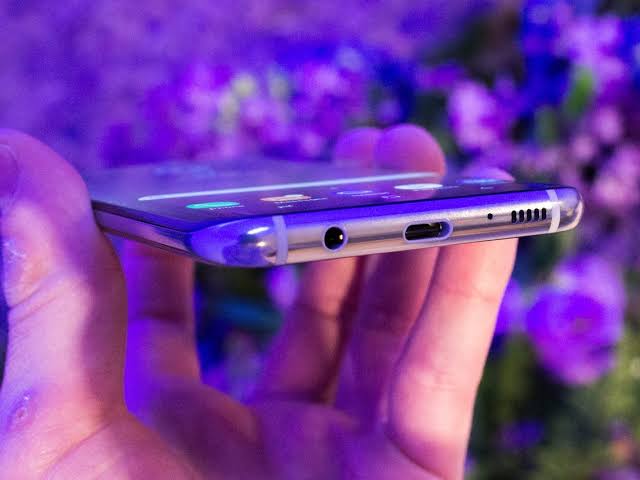
But there’s another way to clean your USB port. Wrap a small bit of cotton around your toothpick. The idea is to turn your toothpick into somewhat of a cotton swab, but with less cotton so it fits inside of the port. Start by laying a round cotton pad or cotton ball onto a flat surface.

Then, insert your toothpick into a very thin layer of cotton at a 20-degree angle. Holding the cotton down with one hand, twist the toothpick until a small amount of cotton wraps around its tip. Do this to both ends of the toothpick, if possible.

Stop dirt from getting into your USB port

If you’re bringing your phone, tablet, or laptop somewhere it’ll be likely to get dirty, cover the charging port with a piece of tape to protect it while not in use.
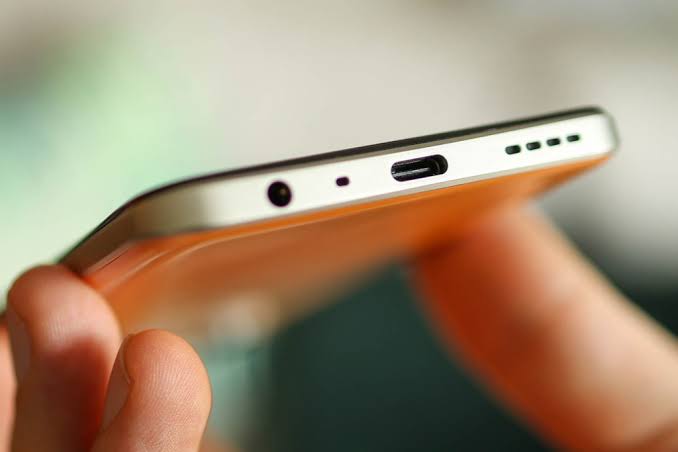
You can also buy charging port dust plugs from electronics stores and online retailers. When shopping for a dust plug, make sure you get the right size for your charging port. There are dust plugs for all types of ports, including USB-C, Lightning, and even headphone jacks.

Tags: SmartphoneUSB Port
Previous Post

Electrolux enters the Indian consumer durable market

Next Post

Arturo Vidal officially leaves Inter after 2 years: Flamengo move soon

Related Posts

Samsung
Technology

Samsung Galaxy Z TriFold: Everything You Need to Know About the Revolutionary Triple-Folding Phone

December 6, 2025
Top 10 gaming laptops under rs. 1 lakh
Laptop

Exclusive: Top 10 Gaming Laptops Under Rs. 1 Lakh as of 2025

December 6, 2025
Eid 2025 Party Playlist: Top Bollywood Songs to Make Your Celebration Unforgettable
Entertainment

Eid 2025 Party Playlist: Top Bollywood Songs to Make Your Celebration Unforgettable

December 6, 2025
Google play redeem codes for free today, september 2, 2025
Application

Google Play Redeem Codes for FREE Today, December 06, 2025

December 6, 2025
Best 100 Rs. Redeem Codes FREE Today
FAQ

Best 100 Rs. Redeem Codes FREE Today (December 06, 2025)

December 6, 2025
FAQ

The BEST Google Play Redeem Codes as of December 2025

December 6, 2025
Next Post
Arturo Vidal Inter Milan

Arturo Vidal officially leaves Inter after 2 years: Flamengo move soon

Leave a Reply Cancel reply

Your email address will not be published. Required fields are marked *

TechnoSports Media Group

© 2025 TechnoSports Media Group - The Ultimate News Destination

Email: admin@technosports.co.in

  • Terms of Use
  • Privacy Policy
  • About Us
  • Contact Us

Follow Us

wp_enqueue_script('jquery', false, [], false, true); // load in footer
No Result
View All Result
  • Home
  • Technology
  • Smartphones
  • Deal
  • Sports
  • Reviews
  • Gaming
  • Entertainment

© 2025 TechnoSports Media Group - The Ultimate News Destination